
To quickly access a full list of keyboard shortcuts available in Evoto:
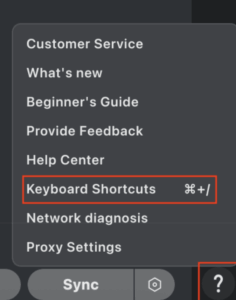
- Click the ❓ (Question Mark) icon located in the bottom right corner of the interface to open the Customer Support Center menu.
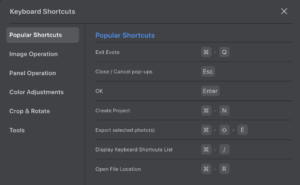
- Select Keyboard Shortcuts to open a pop-up window displaying all available shortcuts.
These shortcuts are designed to streamline your workflow and help you edit more efficiently.
Was this article helpful?
YesNo




