The Color Adjustments panel in Evoto Video provides LUT-based color tools for correcting and stylizing your footage. It includes Color Correction for restoring flat Log footage to a normal-looking image, and Creative LUTs for applying an overall cinematic or stylized look. A typical workflow is to correct the base image first, then add a creative look or AI Color Match on top.
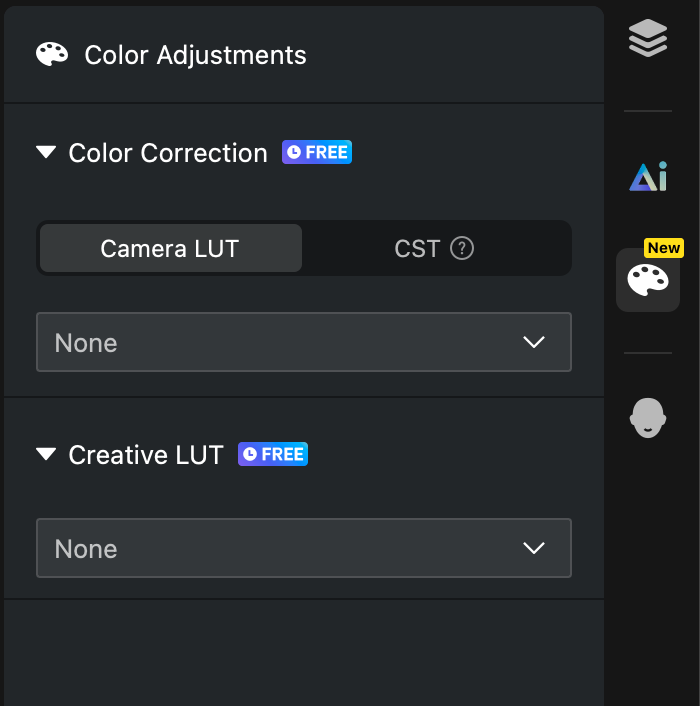
Color Correction
Color Correction restores flat, low-contrast Log footage to a normal-looking image. It offers two methods, and only one can be active at a time:
- Camera LUT: Official restoration LUTs provided by camera manufacturers. Choose the LUT that matches the Log mode used during shooting (for example, Sony S-Log3, Canon Log 3, or DJI D-Log). If you are unsure of the Log mode, leave it set to None rather than guessing.
- Color Space Transform (CST): A more precise restoration method for users who know the input color space and gamma of their footage. It is useful for normalizing footage shot on multiple cameras.
Note: Camera LUT and Color Space Transform cannot be enabled at the same time.
Creative LUTs
Creative LUTs apply an overall visual style—such as a cinematic, vintage, warm, or cool look—after the base image has been corrected. Creative LUTs can be stacked with Color Correction and AI Color Match to further refine the final result.
Custom LUTs
You can import your own LUT files in .cube format. Both custom Camera LUTs and custom Creative LUTs are supported, which is useful for teams with established color styles or projects that require a specific look.
Current Limitations
- Camera LUT and Color Space Transform cannot be used together.
- Color Correction and Creative LUTs are currently applied at the clip level and cannot yet be saved as in-app presets.