
The Portrait Retouching panel in Evoto Video is built for high-precision video beautification. It combines AI face detection, skin cleanup, feature refinement, and body-shaping controls in one workflow, helping you improve portrait footage while preserving natural texture and detail.
Evoto Video organizes portrait retouching into module-based tools. Use the links below to view each module in detail.
Face Attributes
Evoto Video uses AI face detection to identify people in the frame. You can switch between Male, Female, Child, and Senior groups, turn on Show Face Frame to review detections, and apply different settings to different faces in the same clip.
How to Access Face Perception
- Enter the Portrait Retouching module.
- Click on Face Detection in the upper-right corner of the Control Panel.
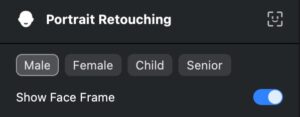
Manually Add or Remove Characters
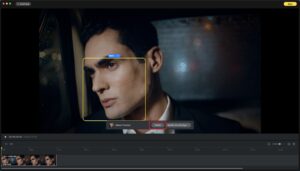
- Add Character: Use the Add Face tool to define a frame around a face you want to tag. Evoto Video will identify and assign it as a new character.
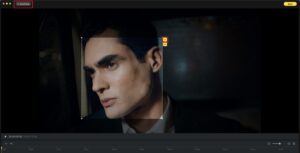
- Delete Character: Select the character (highlighted in yellow when selected), then click the Delete Character option.

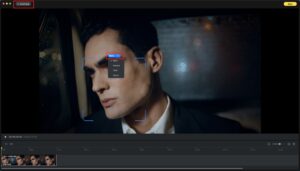
- Change Character Attributes: You can adjust the identification manually if automatic tagging is incorrect.

In This Section
Was this article helpful?
YesNo




