Welcome to Evoto, one of the world’s most advanced AI-powered photo editors!
Our goal is to provide photographers with fast, intelligent editing tools that eliminate repetitive work, so you can focus on creativity and what you truly love.
Powered by state-of-the-art AI algorithms, Evoto helps you produce stunning, professional-quality images in just a few clicks.
Let’s get started!
System Requirements
Operation system
-
Windows 7 (x64), Windows 10 (x64), Window 11(x64)
-
macOS: 10.13 and above
Hardware
-
at least 8 GB of RAM
-
64-bit (x64) processor, 1.2 GHz or faster
-
mac: 2015 or later, Intel or Apple Silicon
Recommended Devices
Mac
-
Mac mini – Configuration: 32GB RAM + 1TB SSD
-
iMac – Configuration: 32GB RAM + 1TB SSD
Windows
-
HP Envy Desktop PC
CPU: Intel Core i9-13900KS (13th Gen)
RAM: 32GB
Storage: 1TB SSD
GPU: NVIDIA GeForce RTX 4060 Ti 16GB GDDR6
-
Lenovo Legion 5i Tower CPU: Intel Core i7
RAM: 32GB
Storage: 1TB SSD
GPU: NVIDIA GeForce RTX Series
-
HOENGAGER Poseidon Gaming PC Desktop
CPU: AMD Ryzen 7 5700X 3.4GHz
RAM: 32GB DDR4
Storage: 1TB M.2 PCIe SSD
GPU: NVIDIA RTX 3050 6GB
-
Skytech Shadow Gaming PC Desktop
CPU: Intel Core i5-12400F
RAM: 32GB
Storage: 1TB SSD
GPU: NVIDIA GeForce RTX 4060
-
HP Pavilion TG01 Gaming/Entertainment Desktop PC
CPU: AMD Ryzen 7 5700G 8-Core
RAM: 32GB
Storage: 1TB M.2 SATA SSD + 3TB HDD
GPU: NVIDIA RTX 3060
-
ROG Gaming Small Form Factor Desktop PC
CPU: Intel i7-13700KF
RAM: 32GB DDR5
Storage: 1TB SSD
GPU: NVIDIA RTX 4070
For the latest specifications and availability, please check the official website.
Supported GPU Models
Supported NVIDIA GeForce 10 and 16 Series Models
NVIDIA GeForce GTX 1050
NVIDIA GeForce GTX 1060
NVIDIA GeForce GTX 1070
NVIDIA GeForce GTX 1080
NVIDIA GeForce GTX 1630
NVIDIA GeForce GTX 1650
NVIDIA GeForce GTX 1660
Supported NVIDIA RTX 20, 30, 40 and 50 Series Models
NVIDIA GeForce RTX 2050
NVIDIA GeForce RTX 2060
NVIDIA GeForce RTX 2070
NVIDIA GeForce RTX 2080
NVIDIA GeForce RTX 3050
NVIDIA GeForce RTX 3060
NVIDIA GeForce RTX 3070
NVIDIA GeForce RTX 3080
NVIDIA GeForce RTX 3090
NVIDIA GeForce RTX 4050
NVIDIA GeForce RTX 4060
NVIDIA GeForce RTX 4070
NVIDIA GeForce RTX 4080
NVIDIA GeForce RTX 4090
NVIDIA GeForce RTX 5060
NVIDIA GeForce RTX 5070
NVIDIA GeForce RTX 5080
NVIDIA GeForce RTX 5090
Supported NVIDIA RTX A Series Models
NVIDIA RTX A400
NVIDIA RTX A500
NVIDIA RTX A1000
NVIDIA RTX A2000
NVIDIA RTX A3000
NVIDIA RTX A4000
NVIDIA RTX A4500
NVIDIA RTX A5000
NVIDIA RTX A5500
NVIDIA RTX A6000
Supported NVIDIA RTX Ada and PRO Series Models
NVIDIA RTX 2000 Ada
NVIDIA RTX 3000 Ada
NVIDIA RTX 3500 Ada
NVIDIA RTX 4000 Ada
NVIDIA RTX 5000 Ada
NVIDIA RTX PRO 4000
Supported Other Series Models
NVIDIA T400
NVIDIA T500
NVIDIA T550
NVIDIA T600
NVIDIA T1000
NVIDIA T1200
NVIDIA A10
NVIDIA A40
NVIDIA TITAN
NVIDIA TITAN V
NVIDIA TITAN X
NVIDIA GeForce GTX TITAN
NVIDIA Quadro RTX 3000
NVIDIA Quadro RTX 4000
NVIDIA Quadro RTX 5000
NVIDIA Quadro RTX 6000
NVIDIA Quadro RTX 8000
NVIDIA Quadro P2000
NVIDIA Quadro P2200
NVIDIA Quadro P4000
NVIDIA Quadro P5000
NVIDIA P102
NVIDIA P104
NVIDIA P106
NVIDIA Tesla
NVIDIA Tesla P4
Supported AMD Graphics Card Models
Radeon RX 550
Radeon RX 580
Radeon RX 590
Radeon RX 5500
Radeon RX 5600
Radeon RX 5700
Radeon RX 6300
Radeon RX 6400
Radeon RX 6500
Radeon RX 6600
Radeon RX 6650
Radeon RX 6700
Radeon RX 6750
Radeon RX 6800
Radeon RX 6850
Radeon RX 6900
Radeon RX 6950
Radeon RX 7600
Radeon RX 7650
Radeon RX 7700
Radeon RX 7800
Radeon RX 7900
Radeon RX 9060
Radeon RX 9070
Radeon Pro VII
Supported Intel Graphics Models
Intel(R) Arc(TM) 140V GPU
Intel(R) Arc(TM) 130V GPU
Intel(R) Arc(TM) Graphics
Intel(R) Arc(TM) B390 GPU
Intel(R) Arc(TM) B370 GPU
Intel(R) Graphics
Supported Qualcomm Graphics Models
Qualcomm Adreno X1-85
Qualcomm Adreno X1-45
Download and Install Evoto
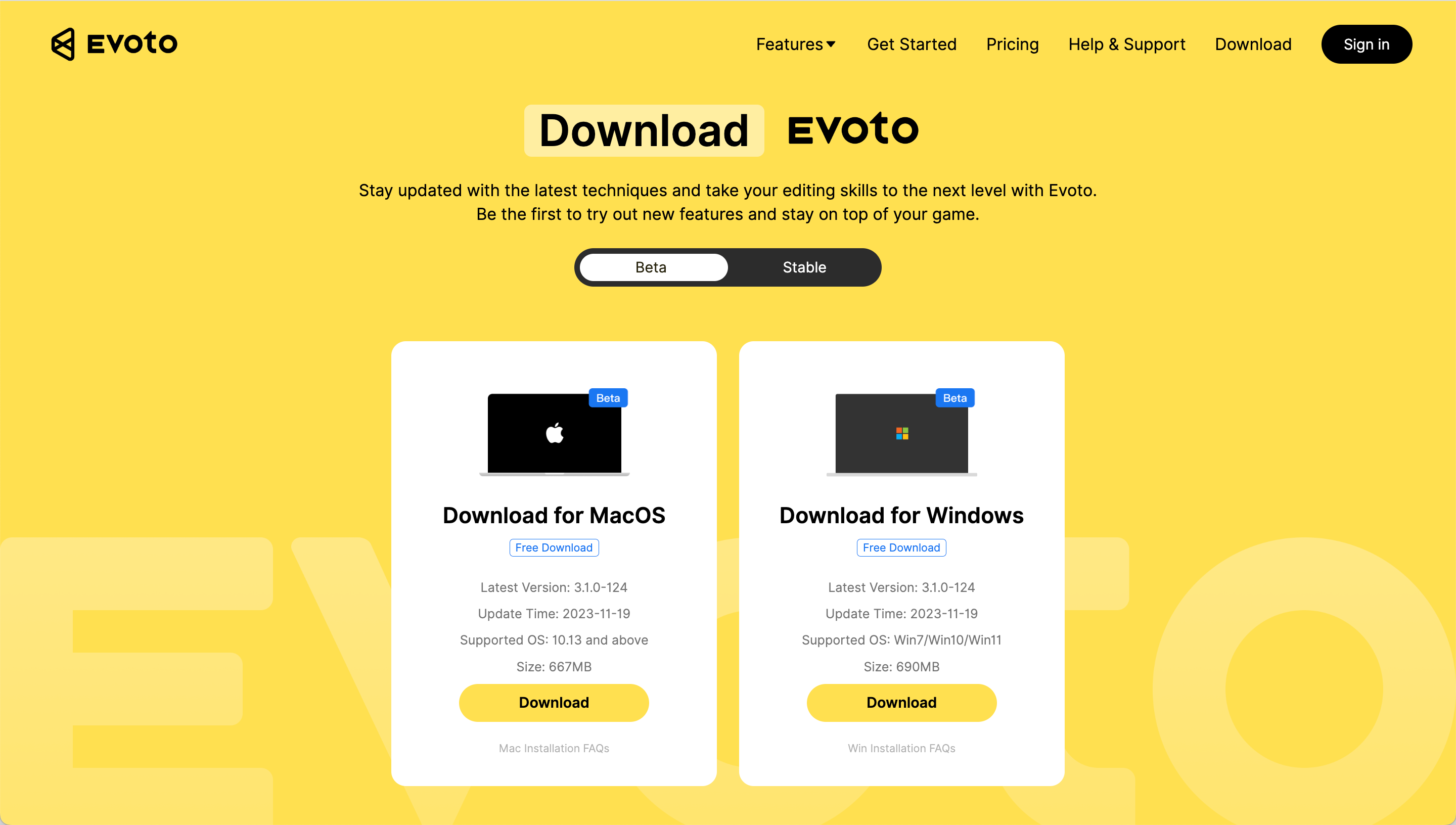
To download Evoto, visit the official Evoto Download Page.
Choose Your Operating System
Evoto is available for both macOS and Windows. Select the version that matches your device.
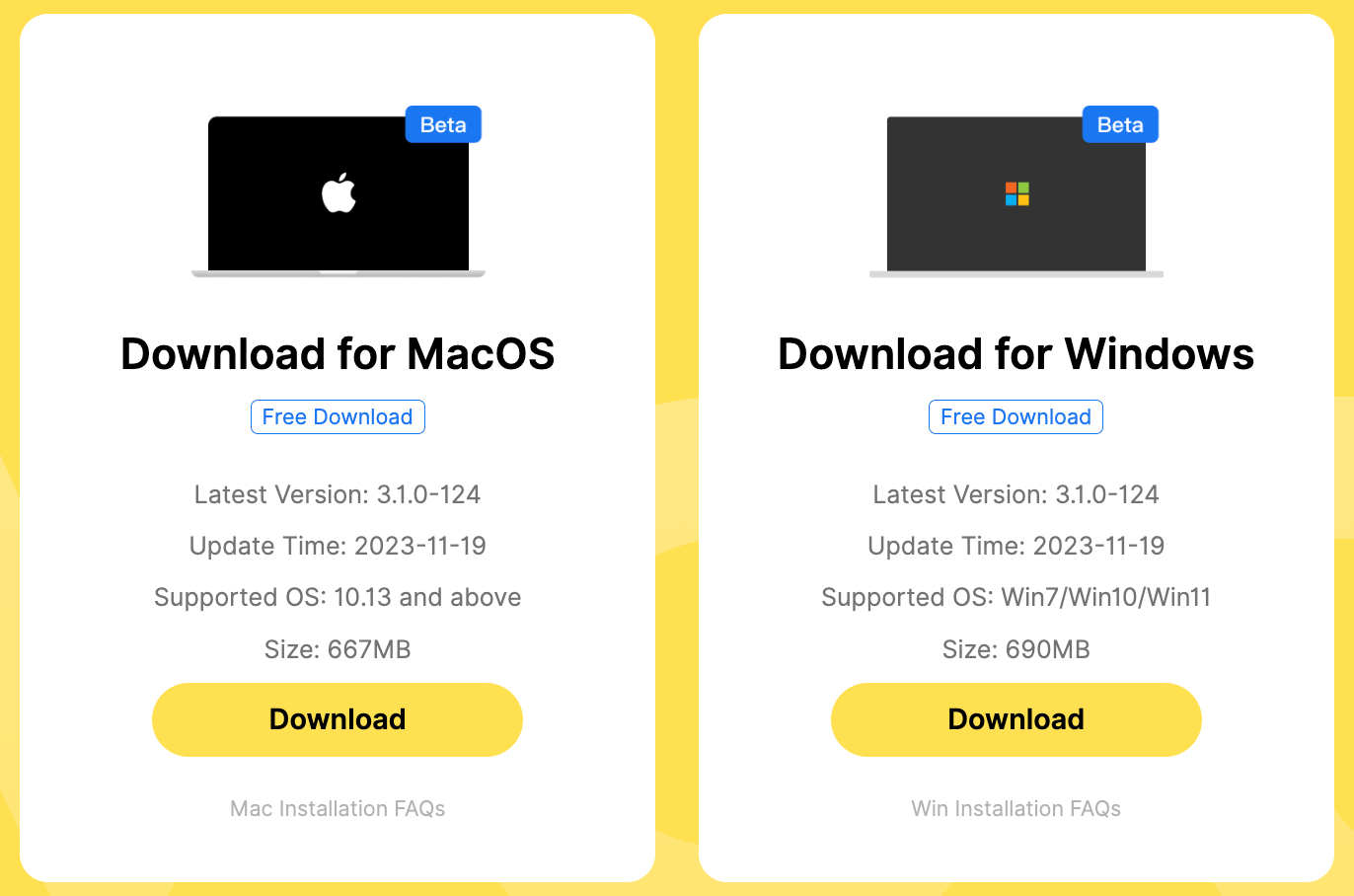
Beta vs. Stable Version
You’ll find two options:
- Beta Version
Includes the latest features and updates. As this version is still in active development, you may encounter occasional bugs or performance issues. - Stable Version
Offers a reliable experience with fewer issues, but may not include the newest features.

Once downloaded, follow your system’s prompts to install Evoto.
Create Your Evoto Account
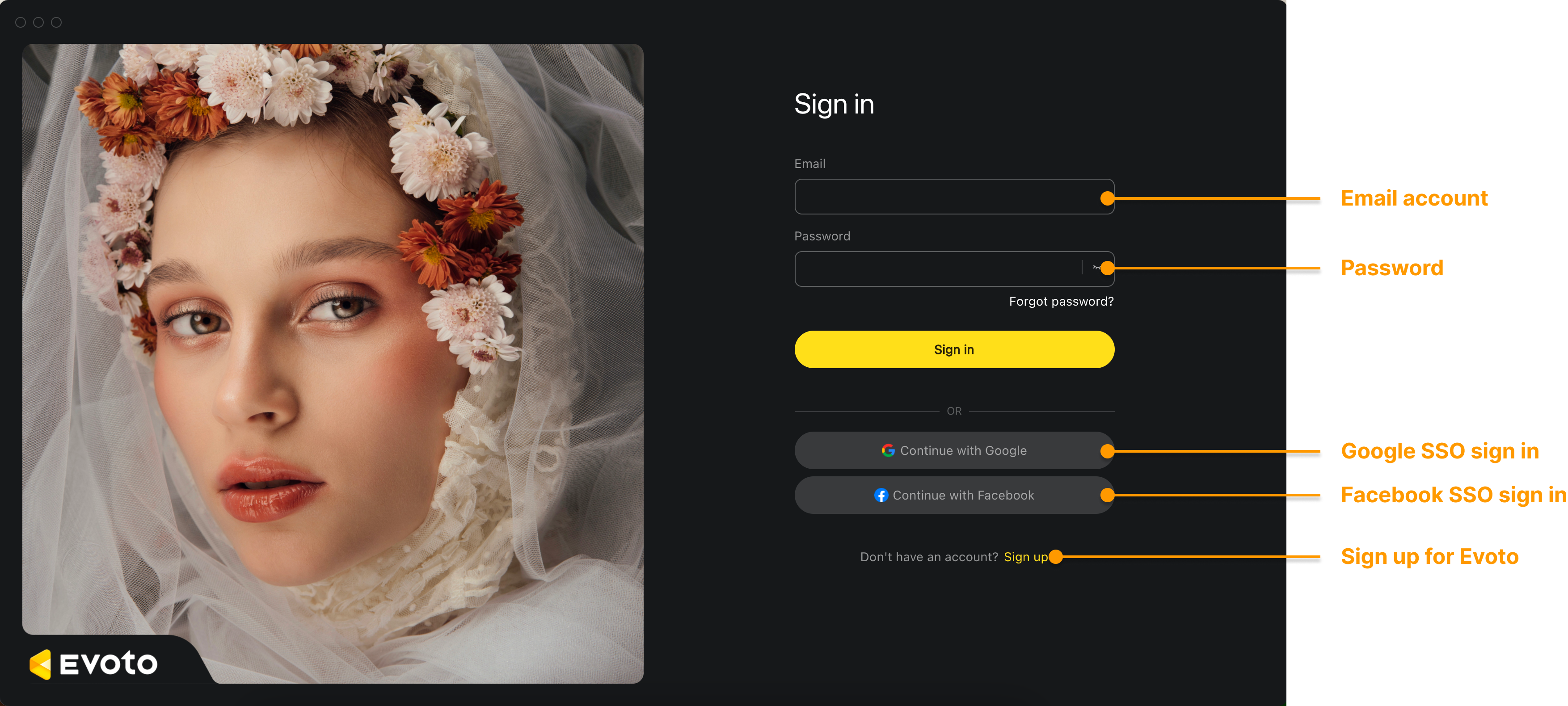
Once installed, launch Evoto and go to the Sign In screen.
New Users
- Click Sign Up
- Register with either Email or Phone
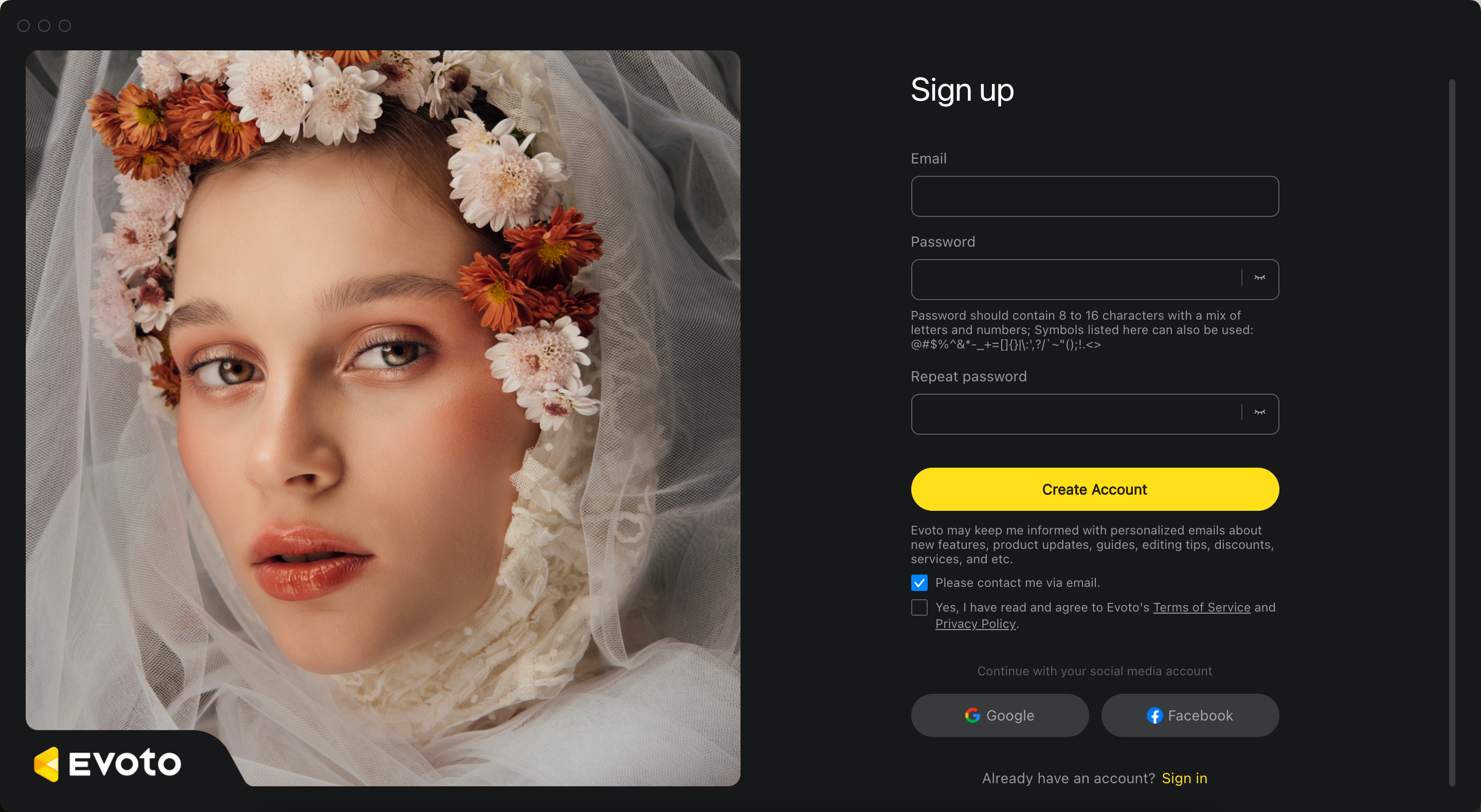
- Enter your information and a secure password
- Check your inbox or device for a confirmation code
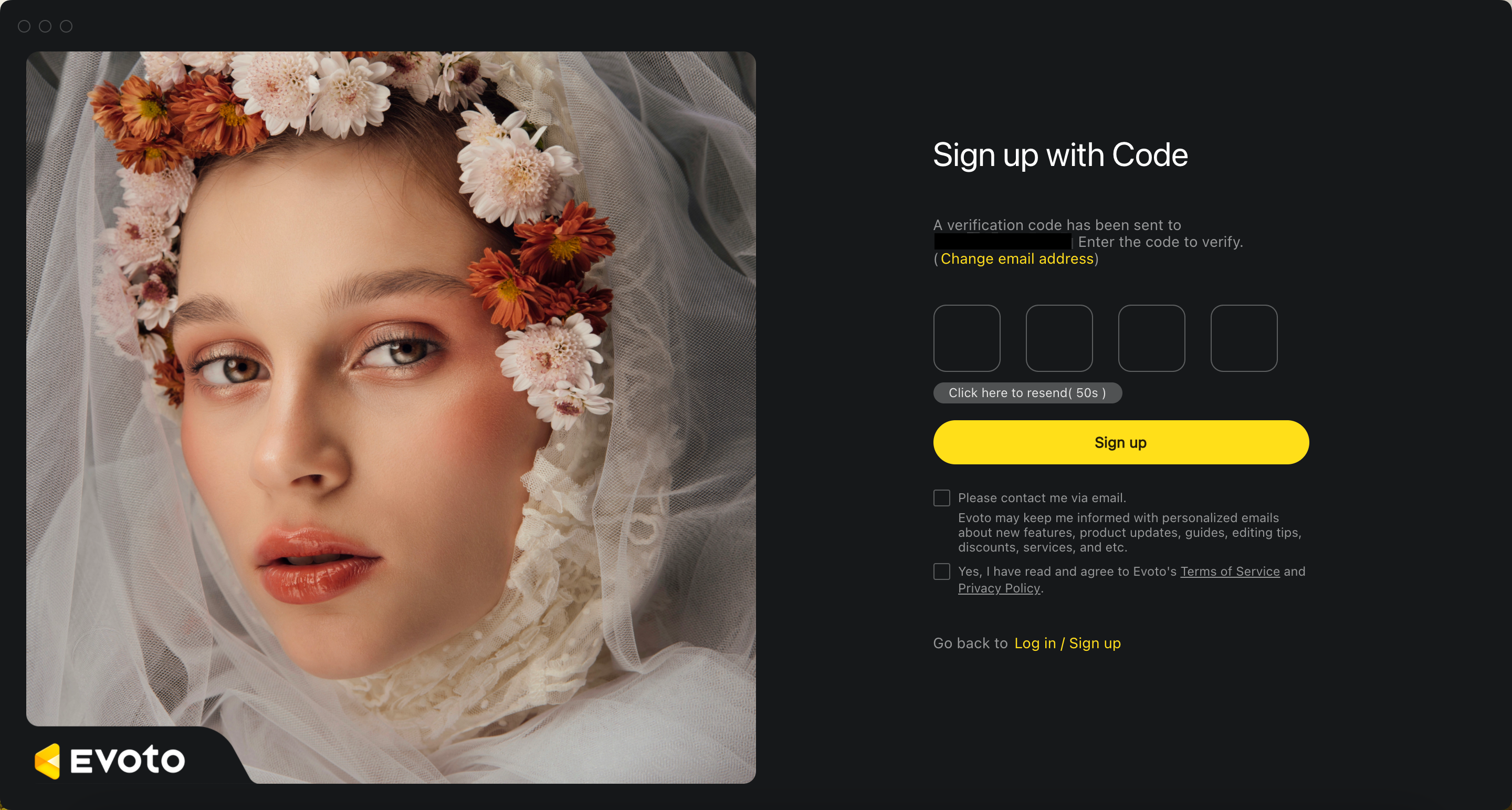
- Enter the code to activate your account
- Be sure to verify your email or phone number to complete activation.
Returning Users
Already have an account? Log in using either:
- Your email and password, or
- A one-time login code
Start Editing
You’re now ready to explore the full power of Evoto’s AI editing engine.
Log in and begin your creative journey!
| Log into Evoto through Password | Log into Evoto through Code |
|---|---|
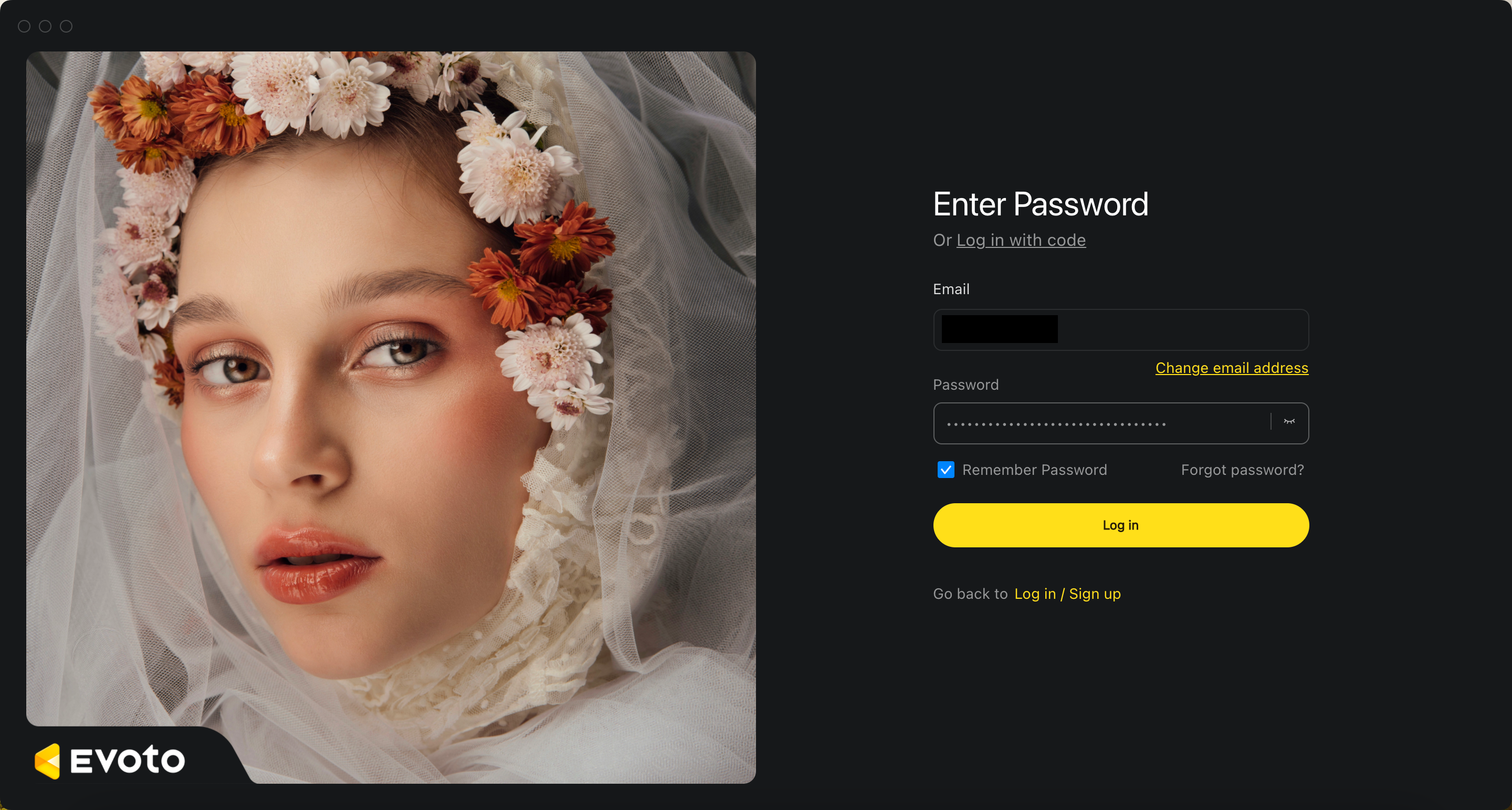 |
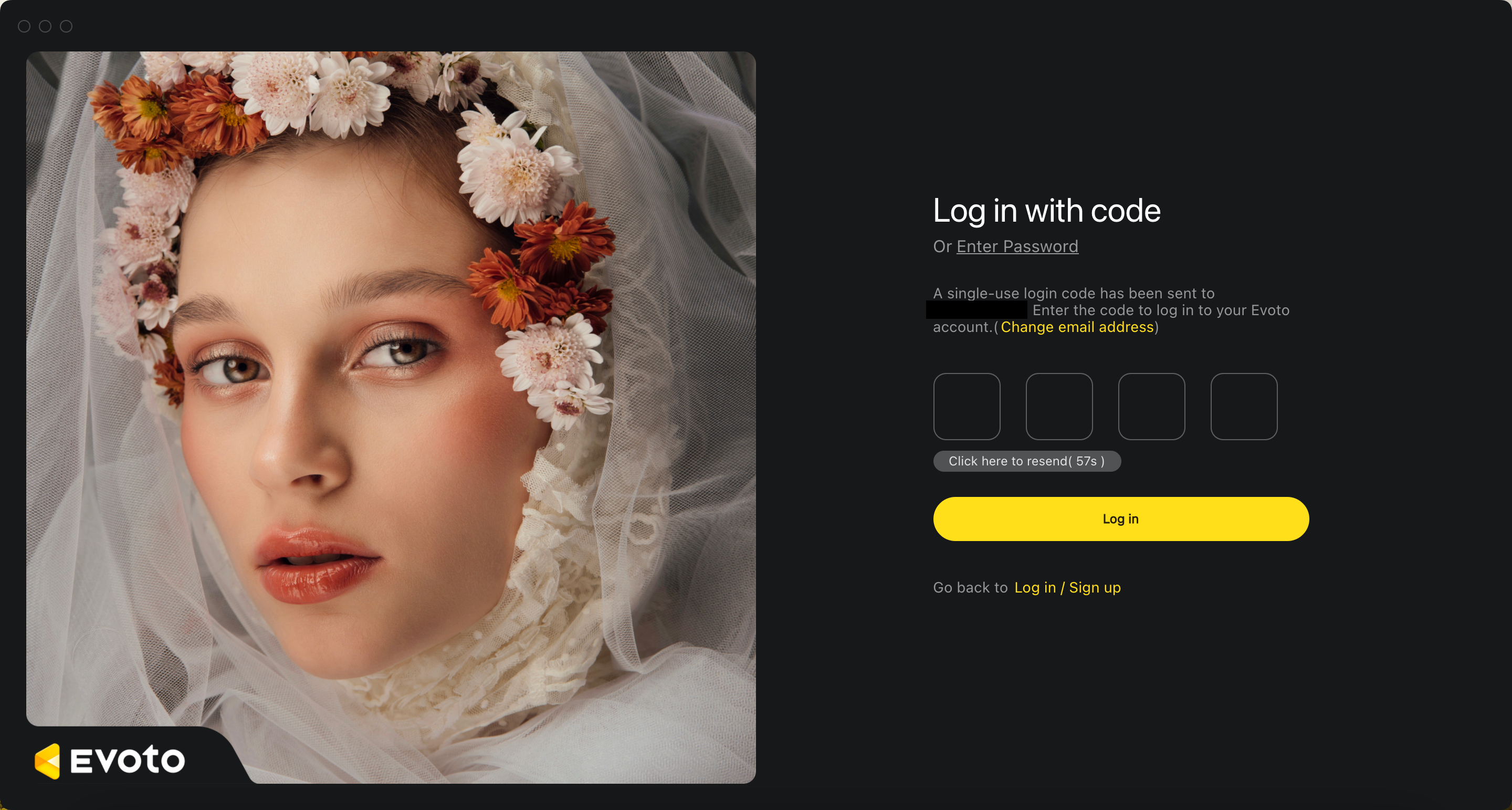 |